What's new since the last update
Major Updates – Hydra chat incognito mode, full privacy controls, AI-assisted master data imports, intelligent migration commit message generation and many utility features for the chat assistant. 🔥🔥🎆🎆
Hydra AI
Incognito chat — private conversations that are never saved on the server, and disappear when you are done
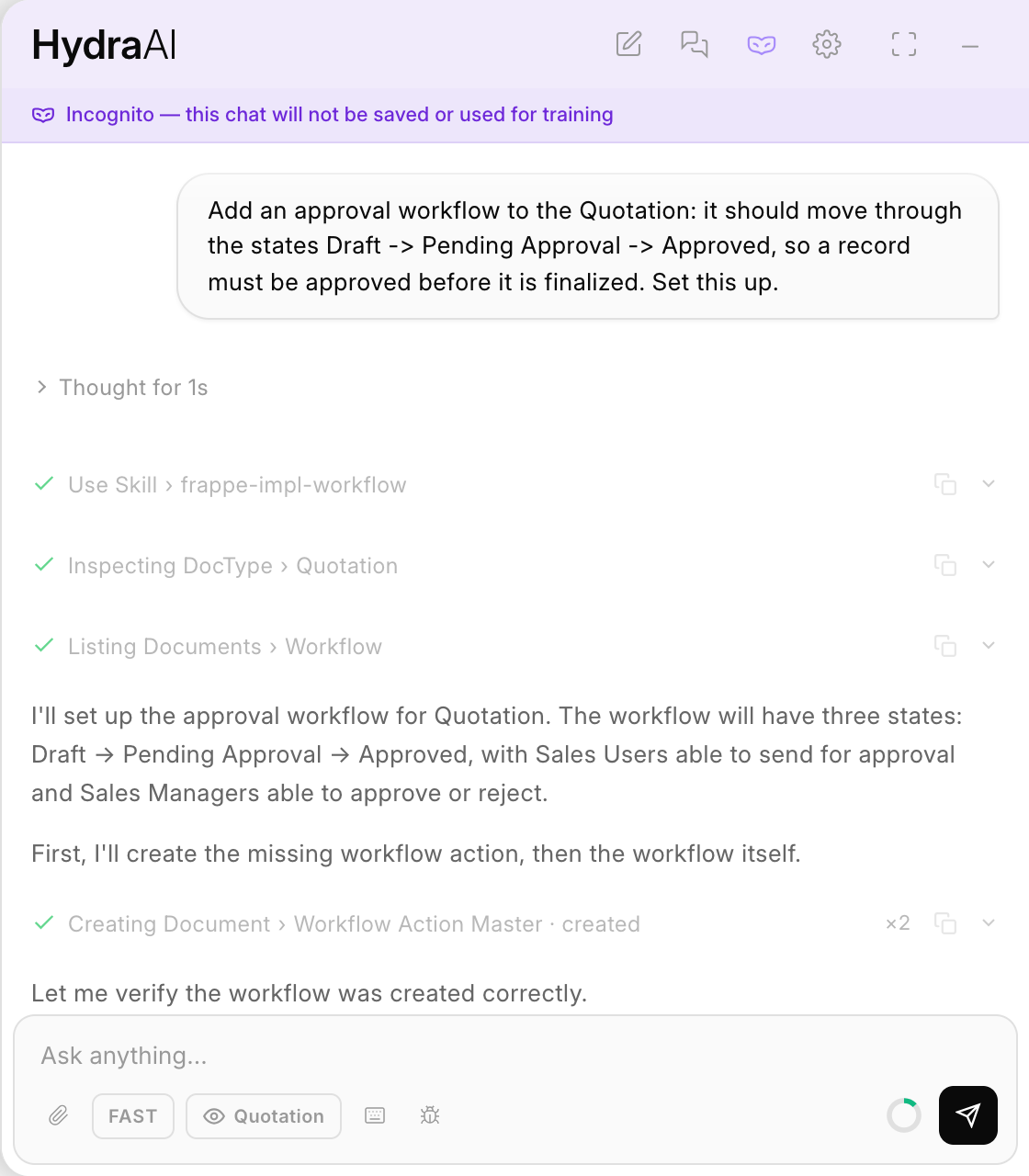
Guided skills — a curated library of Frappe playbooks, so the assistant follows a validated approach instead of guessing
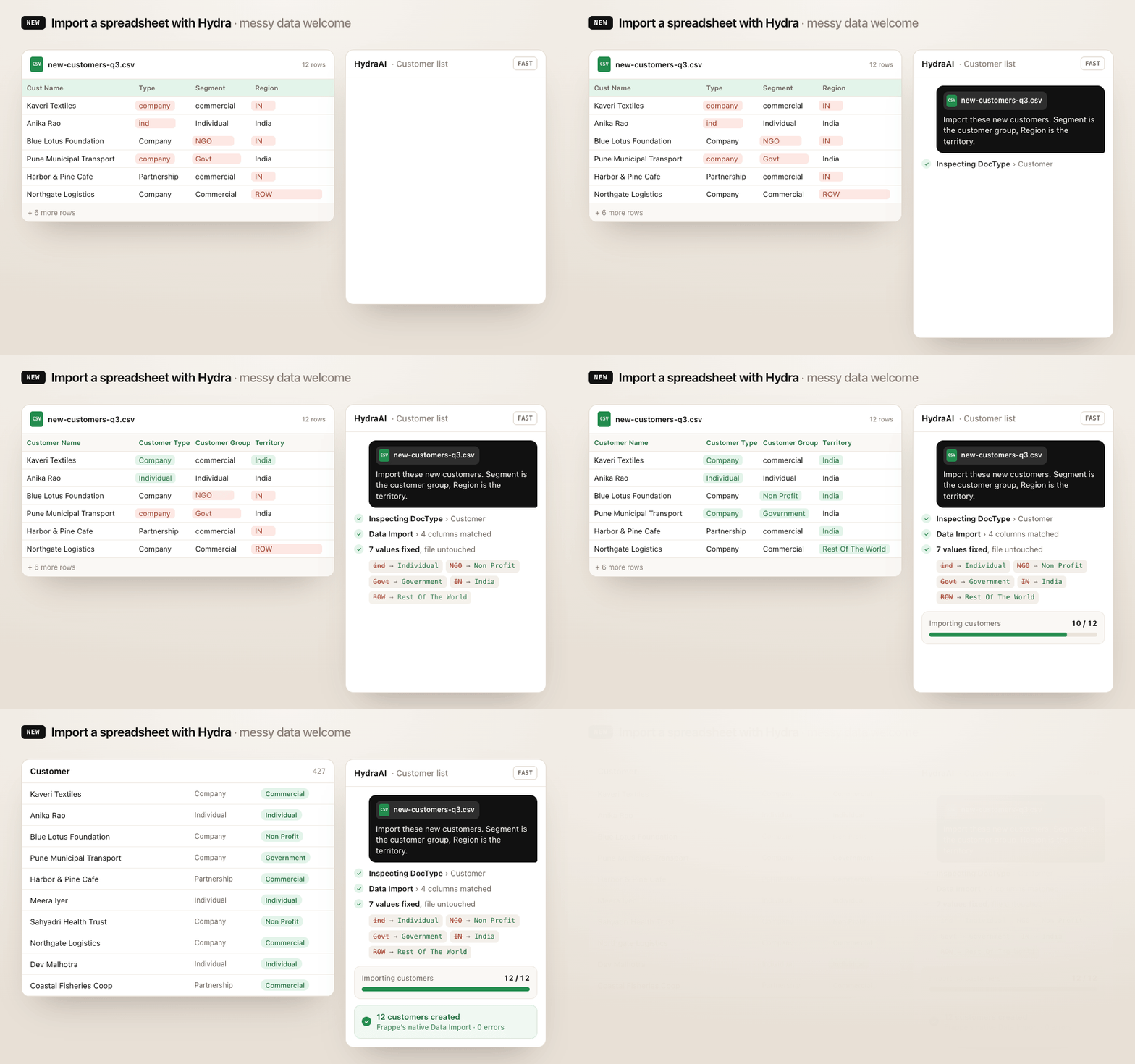
Reliable AI-assisted bulk data import — spreadsheets go through Frappe's own Data Import engine, with progress tracking. AI matches the column headers, and no dataset is sent to the LLM except for the first few rows.
Many chat utility features — image attachments, reading web URLs and much more
- Send screenshots and images straight to the assistant
- Attach files to any message, and they stay in context through your follow-up questions
- Answers tailored to your site's actual Frappe version
- Paste a link and the assistant safely fetches the page for you
- Export any conversation as a JSON file
- When Hydra changes a form or DocType you have open, the page updates itself — no manual reload
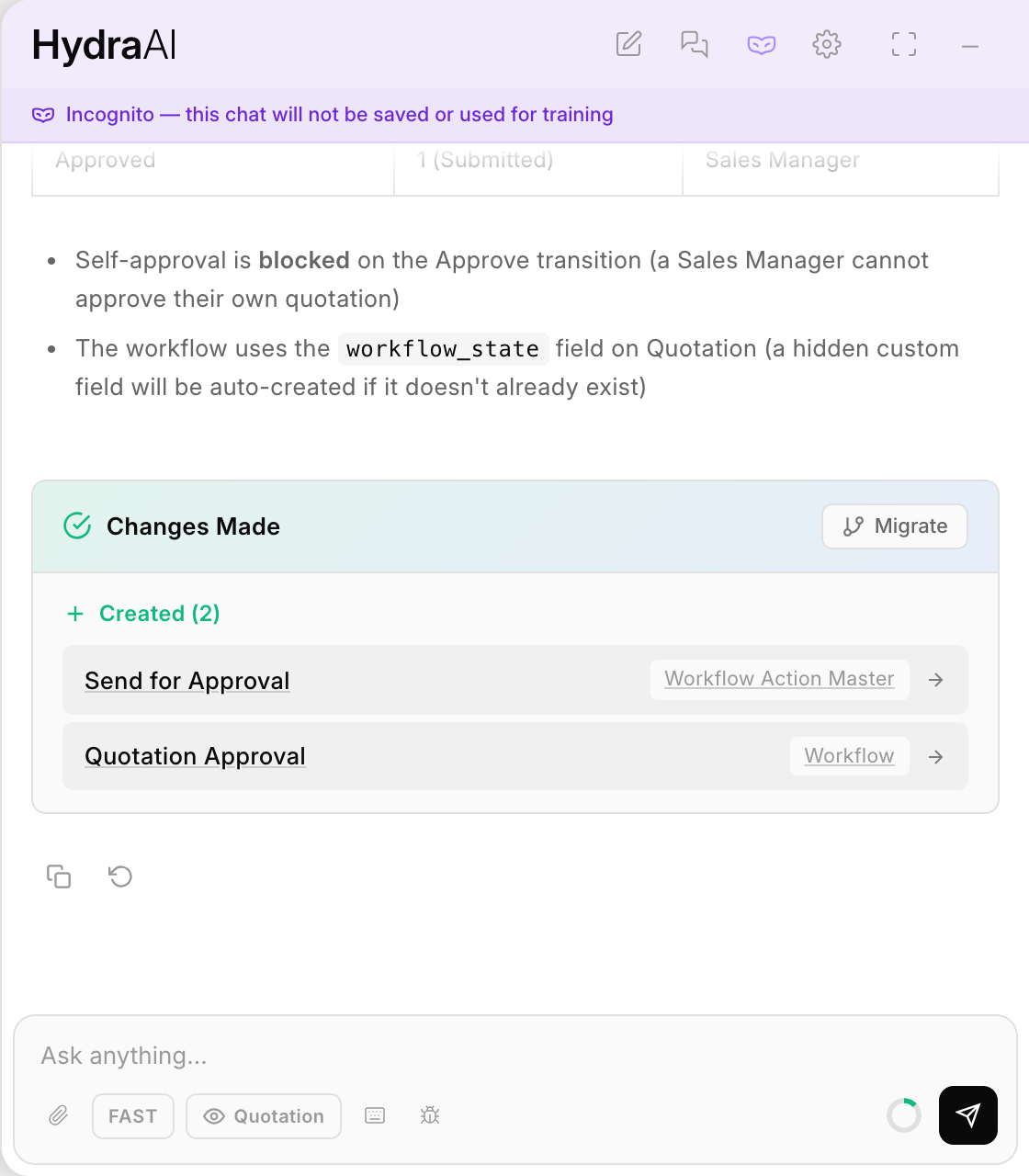
See everything Hydra changed, and send it to the Migrator in one click
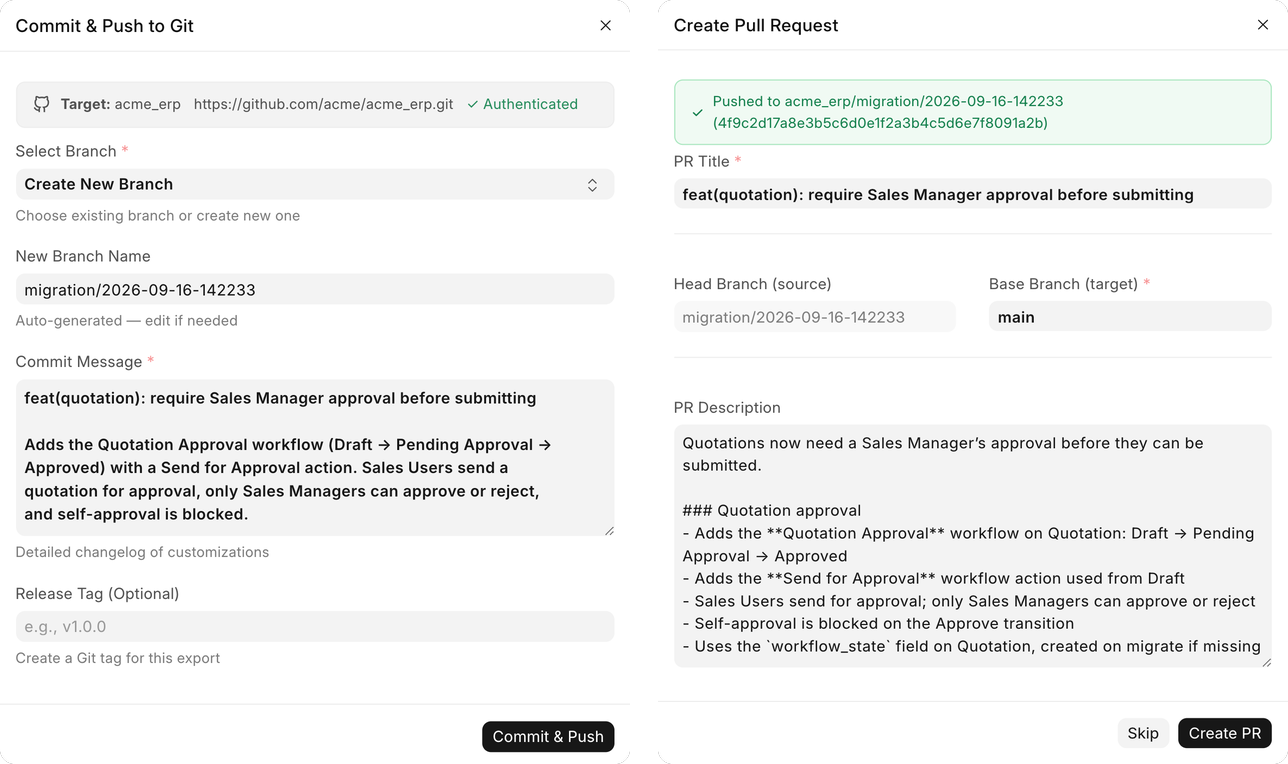
AI-written commit messages and pull request descriptions, generated from what actually changed
- Continued work on keeping each workspace's data private to that workspace
- Copy and Regenerate on every reply, and the feedback dialog no longer opens behind the chat
Custom Migrator
- AI-written commit messages, generated from what actually changed
- Add DocTypes straight from the Migrator listing page
- Customization exports that could previously stall now complete cleanly
- Filters are checked when you save, with readable error messages
- Dark-mode fixes across the interface
Espresso
- App deployments are more reliable, with fewer failures partway through