Changelog
Product updates and fixes, all in one place.
Bring your own LLM, one-click backups and a faster assistant
Hydra AI
A chat that keeps up — thinking and tool steps collapse into one expandable line with a live status, and a connection blip no longer loses your conversation: the chat reconnects on its own and retries a message that never reached us.
Faster on long tasks — replies come sooner and use less of your monthly allowance, and a long run keeps your original request in view instead of drifting from it.
- Stopping a reply keeps what was written so far, so you can add context and carry on
- Wide tables open full screen in one click, so you can read every column
- Thumbs up and down on every reply, including long multi-step answers
- Screen context sharing starts off on every page, instead of staying on as you move around
- Incognito chats are outlined, so it is obvious when nothing is being saved
- If a subscription lapses, the assistant says the workspace is inactive and needs renewing, instead of asking you to reconnect it
Espresso
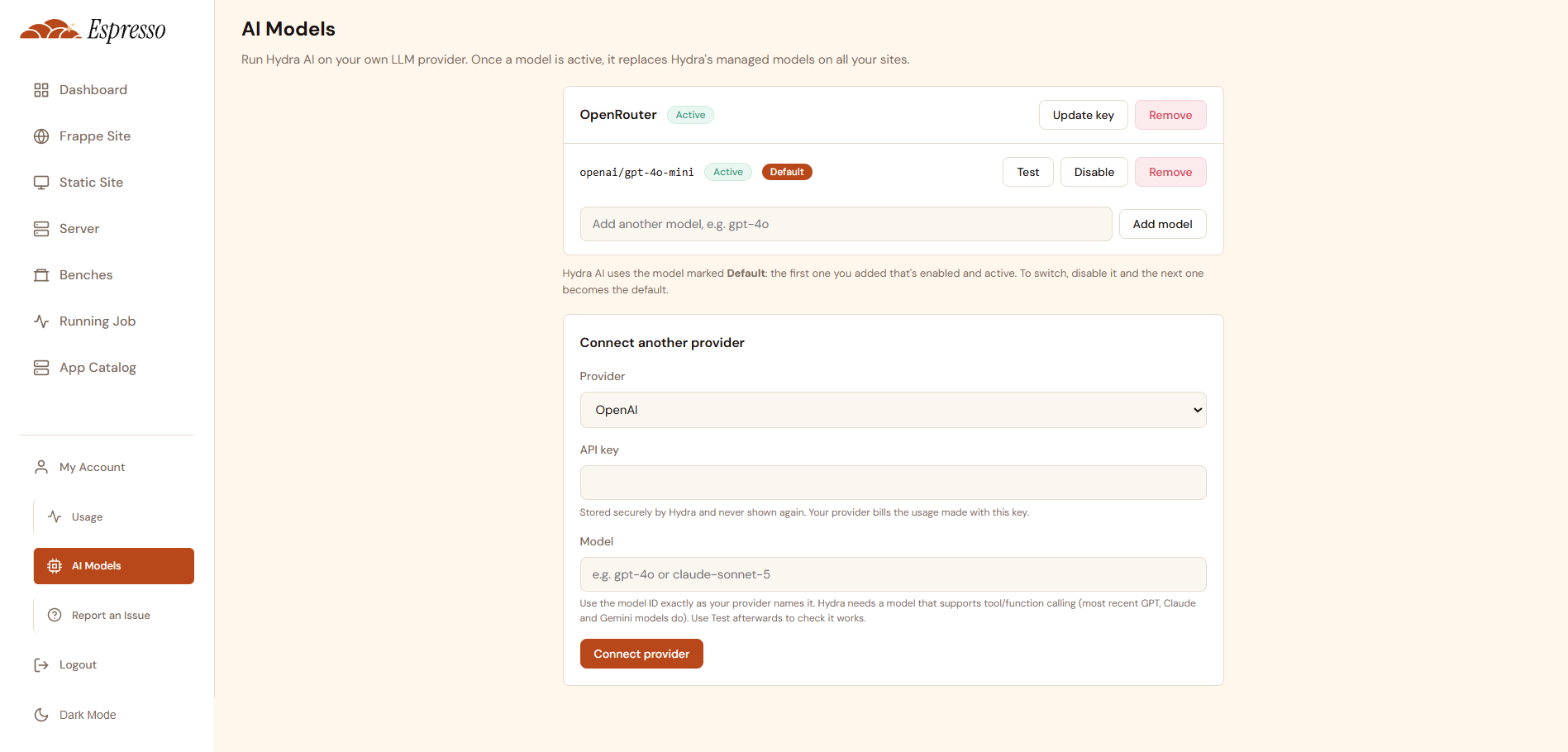
Bring your own LLM — add your own OpenAI, Anthropic, Google, OpenRouter, AWS Bedrock or OpenAI-compatible account on the new AI Models page under My Account, and the assistant runs on your models across all your sites, billed by your own provider.
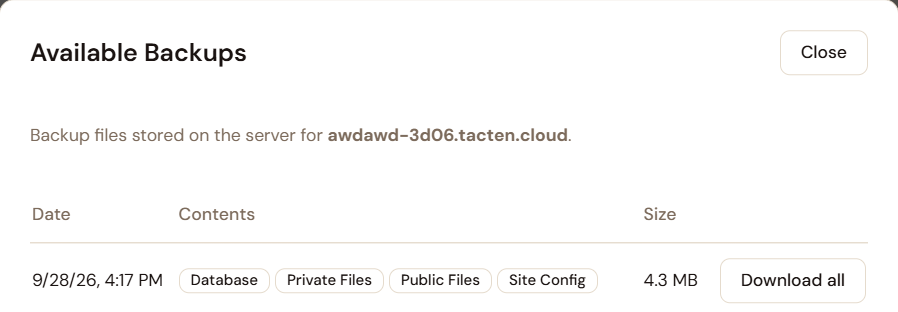
Every deployment and app change starts with a backup — your site is backed up in full before anything is touched, and you can watch it in the deployment log. If the backup fails, the release stops and your site is left exactly as it was.
Backups are kept by days, not by count — choose how many days of backups to keep in your site settings, 7 by default and up to 90. Older ones are removed automatically, and everything inside the window is kept.
Download a whole backup in one click — database, files and private files arrive as a single archive.
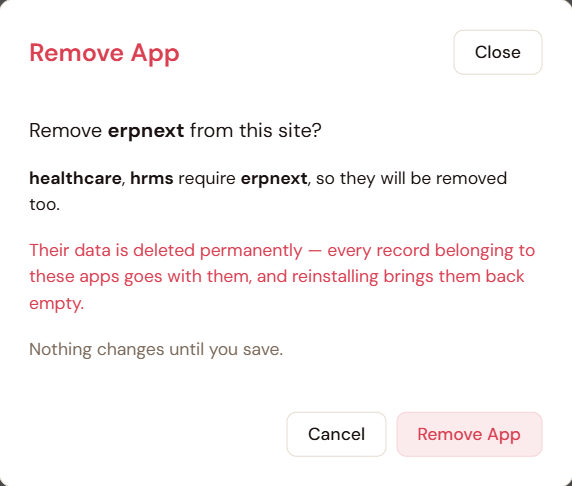
Removing an app warns you first — the confirmation names any installed apps that depend on it, so they can go together when you save, and it says plainly that the data is deleted for good.
Apps bring their own dependencies — adding an app now brings in the apps it depends on and tells you which ones were added. If one is not available yet, you are told before the build starts instead of after it fails.
Faster, more reliable builds — builds run quicker, and cancelling one works even while it is still waiting to start.
- A site that is stopped is started before it is backed up, instead of the backup being skipped
- The Add App window fits small and short screens, and its buttons stay in view
- The sites list shows a short release number, with the full tag on hover
- Support tickets show you as the reporter and are linked to your company, so replies and history line up
What's new since the last update
Major Updates – Hydra chat incognito mode, full privacy controls, AI-assisted master data imports, intelligent migration commit message generation and many utility features for the chat assistant. 🔥🔥🎆🎆
Hydra AI
Incognito chat — private conversations that are never saved on the server, and disappear when you are done
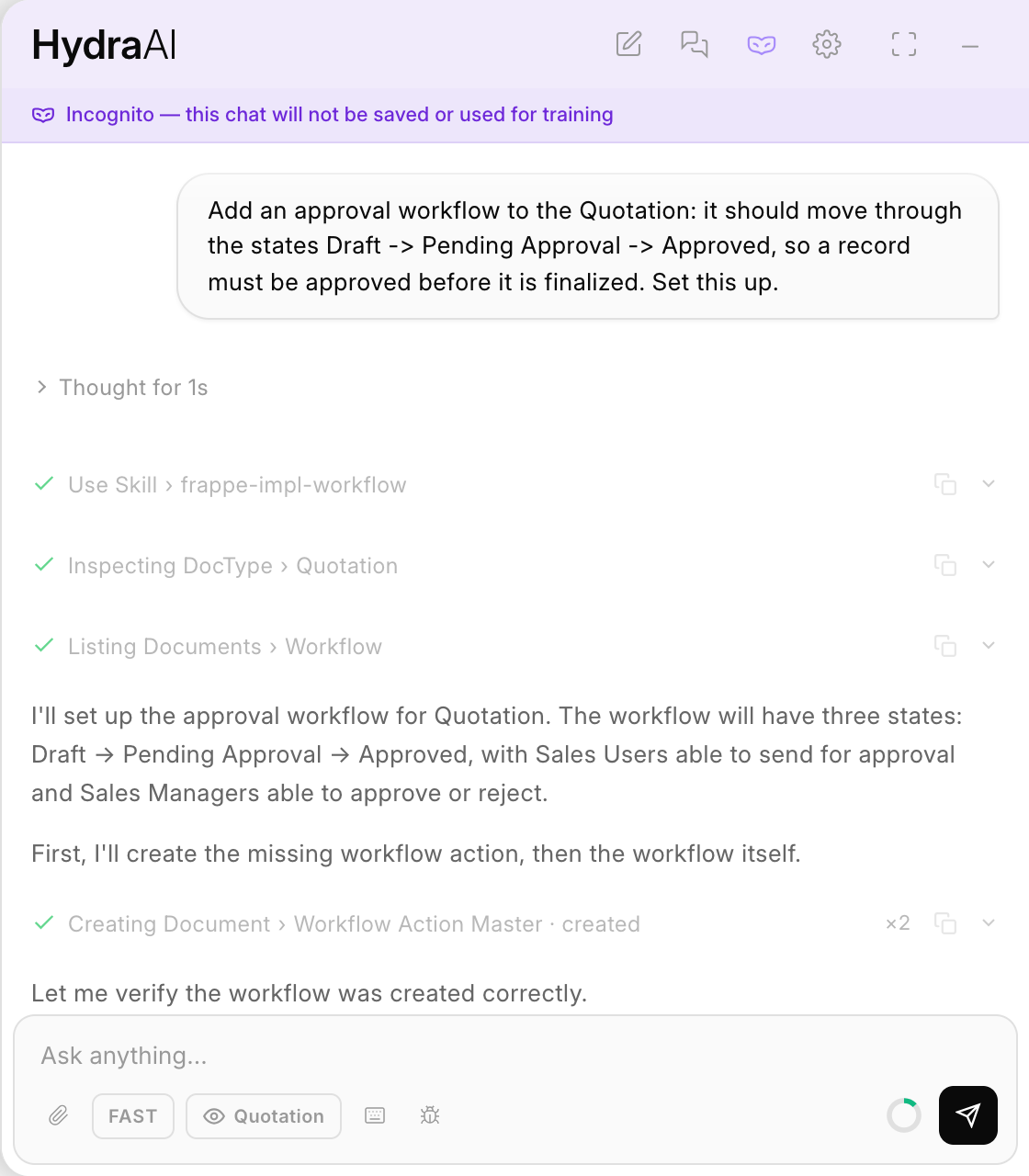
Guided skills — a curated library of Frappe playbooks, so the assistant follows a validated approach instead of guessing
Reliable AI-assisted bulk data import — spreadsheets go through Frappe's own Data Import engine, with progress tracking. AI matches the column headers, and no dataset is sent to the LLM except for the first few rows.
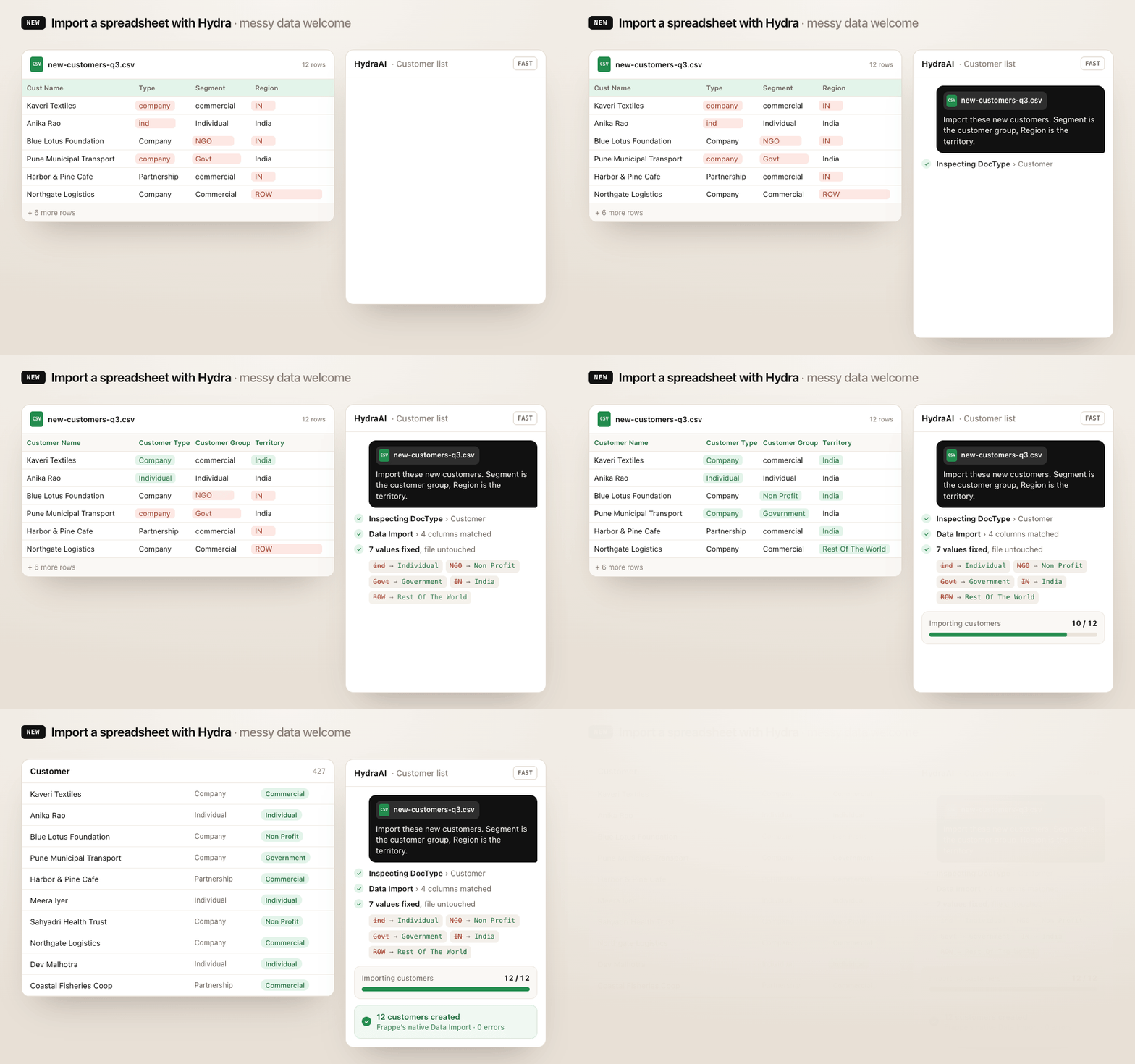
Many chat utility features — image attachments, reading web URLs and much more
- Send screenshots and images straight to the assistant
- Attach files to any message, and they stay in context through your follow-up questions
- Answers tailored to your site's actual Frappe version
- Paste a link and the assistant safely fetches the page for you
- Export any conversation as a JSON file
- When Hydra changes a form or DocType you have open, the page updates itself — no manual reload
See everything Hydra changed, and send it to the Migrator in one click
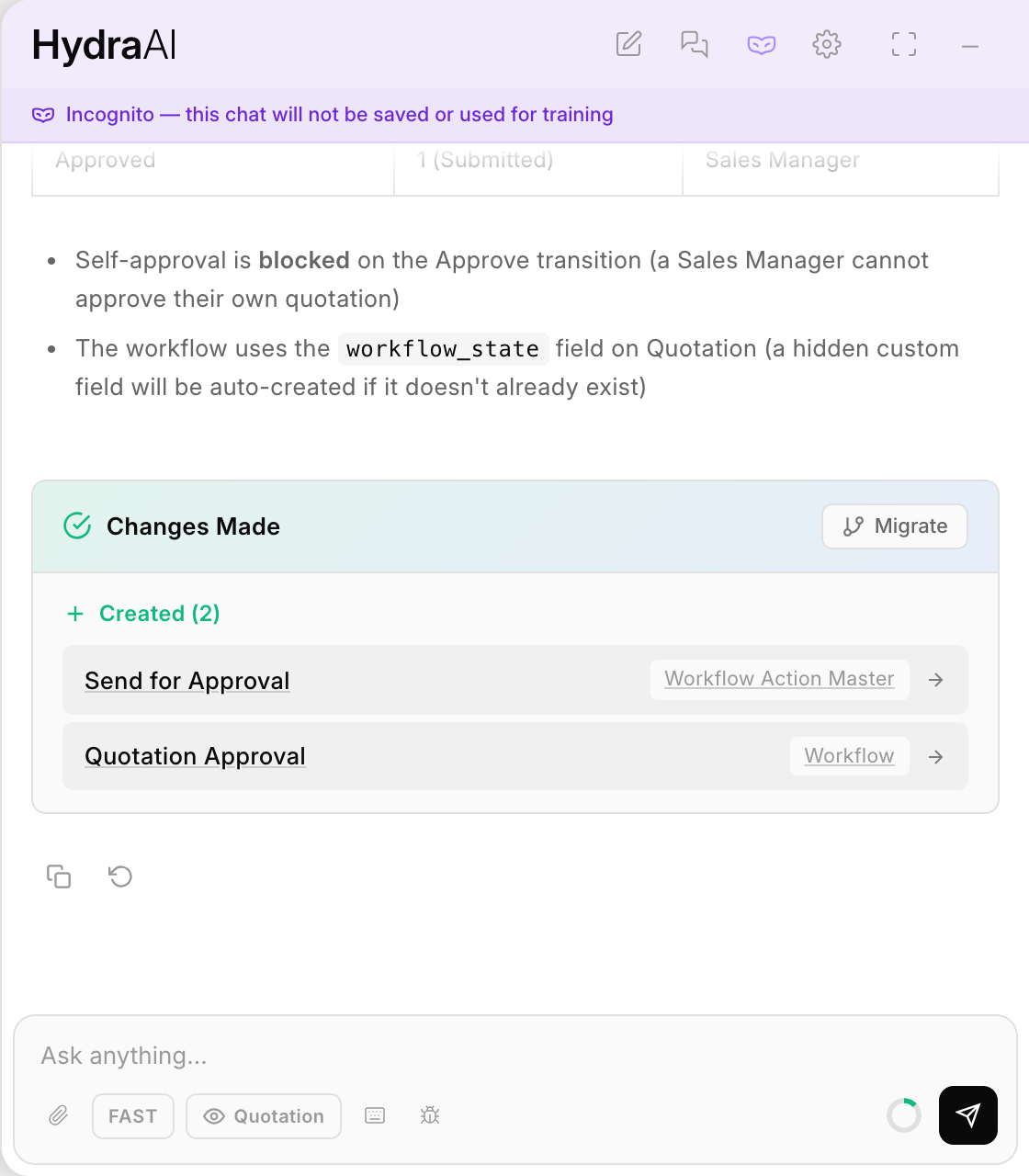
AI-written commit messages and pull request descriptions, generated from what actually changed
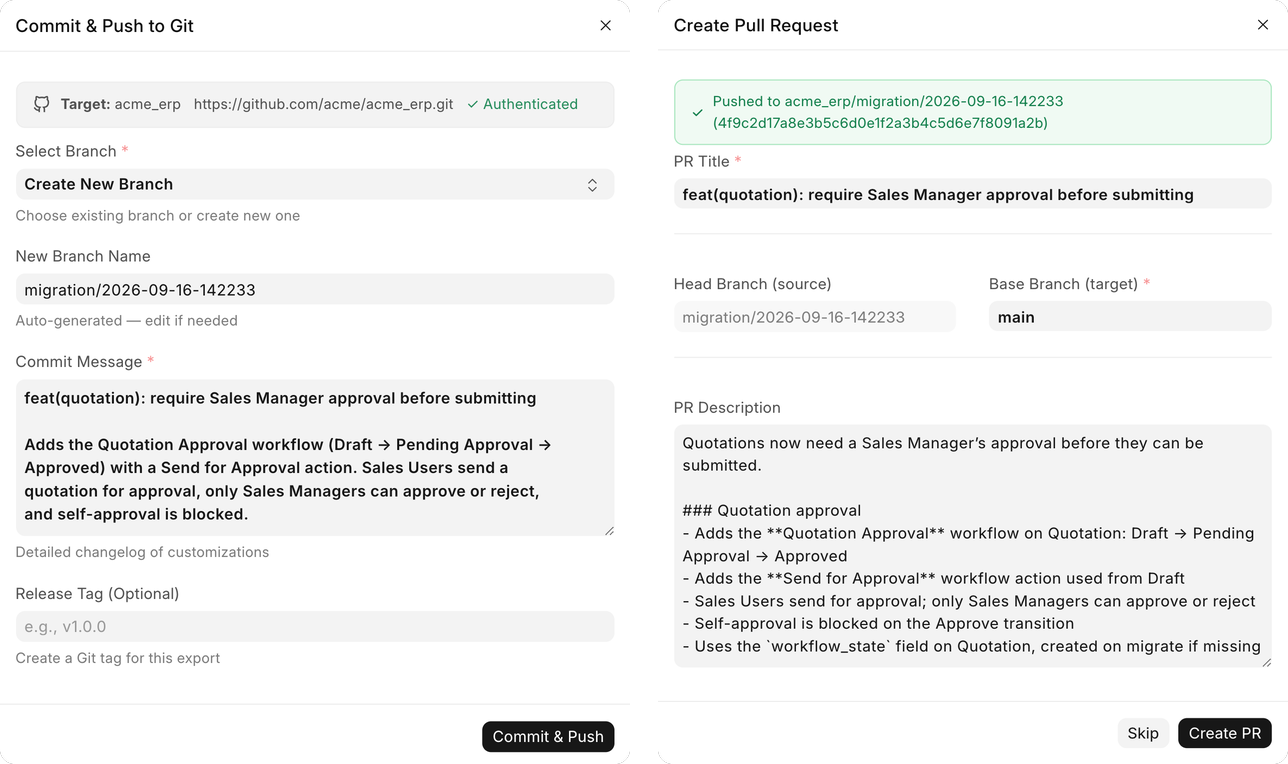
- Continued work on keeping each workspace's data private to that workspace
- Copy and Regenerate on every reply, and the feedback dialog no longer opens behind the chat
Custom Migrator
- AI-written commit messages, generated from what actually changed
- Add DocTypes straight from the Migrator listing page
- Customization exports that could previously stall now complete cleanly
- Filters are checked when you save, with readable error messages
- Dark-mode fixes across the interface
Espresso
- App deployments are more reliable, with fewer failures partway through
Espresso Cloud, Hydra AI and Custom Migrator — product updates
Espresso
- Site updates now run database migrations, and you can watch deployment progress live
- Redesigned site management page with a new Apps tab
- Report issues and track support tickets from your dashboard
- Adding a custom app from GitHub now auto-detects its Frappe app name
- Time zone is detected automatically at signup, and editable anytime
Hydra AI
- Report bugs directly from the chat widget
- Hub interface available in French
- More reliable AI-generated Server Scripts and Reports
- Chat widget now matches your site's light and dark theme
Custom Migrator
- Report bugs, feature requests and feedback directly from the Migrator